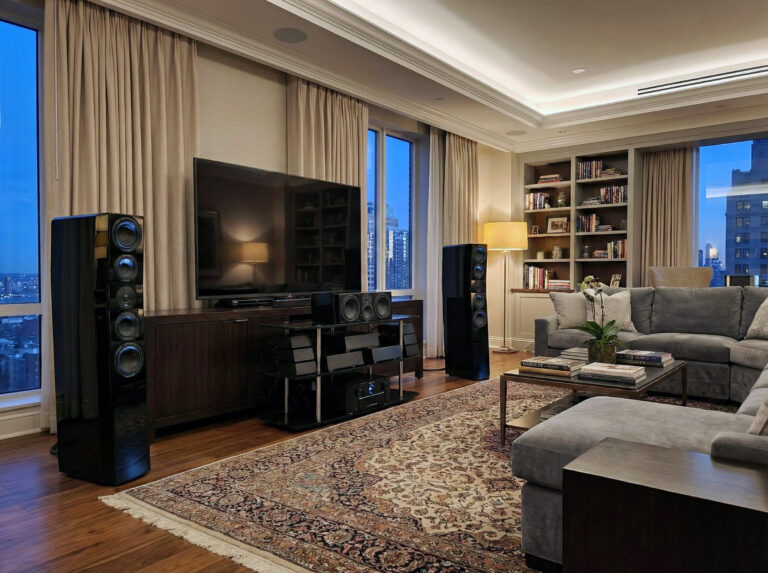
SVS Auto EQ Is Here: Free Bass Correction for R|Evolution Subs
Bass is where the room takes over.
You can buy a serious subwoofer, set sane levels, and still wind up with one seat getting too much 40 Hz while the next seat is missing the fun. That is not a character flaw in the sub. It is room acoustics doing what room acoustics do.
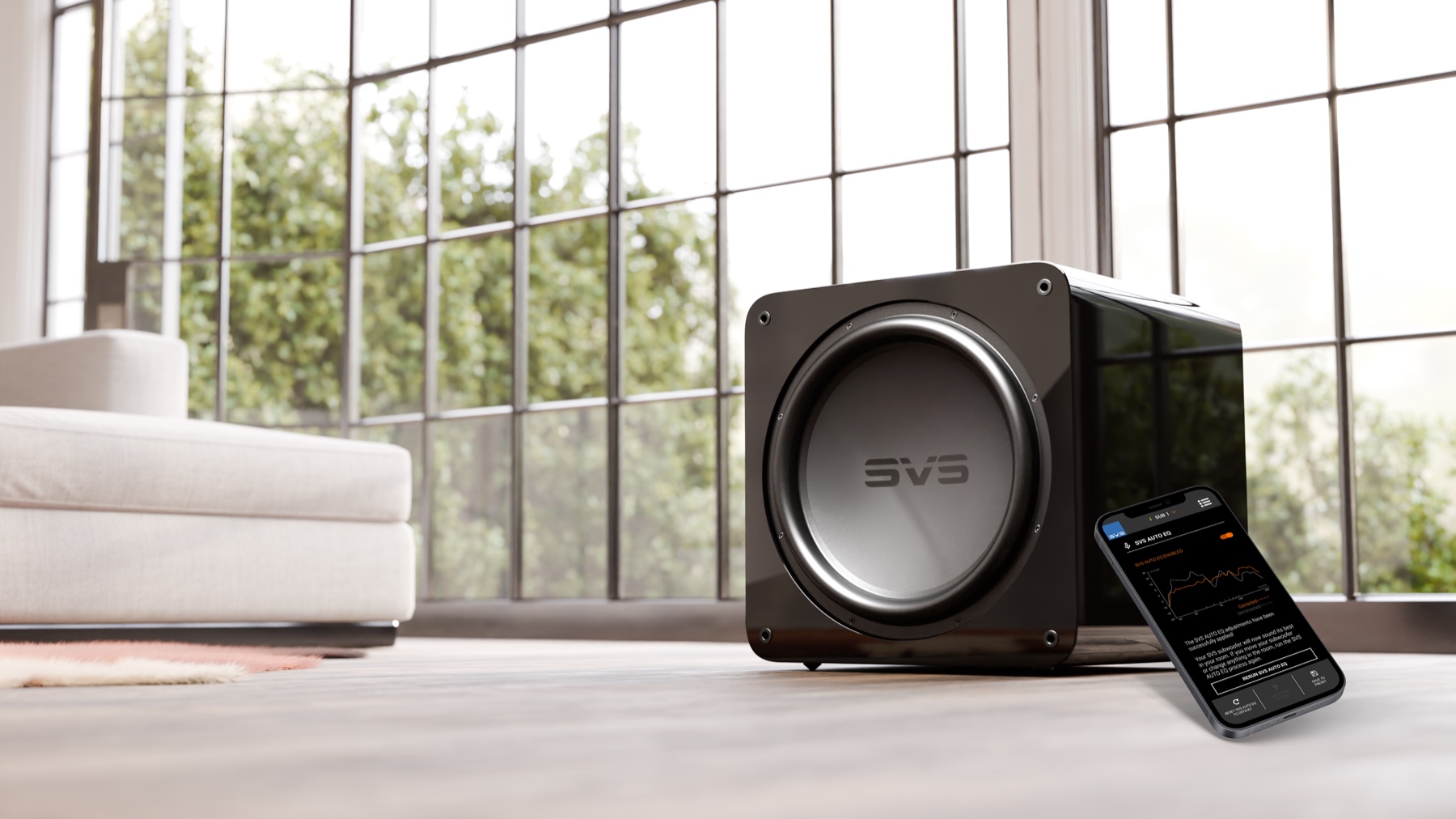
That is why SVS Auto EQ is a bigger deal than the usual app-update headline. It is not a new finish, a renamed DSP mode, or another “now with Bluetooth” sidebar feature. It is guided, app-based subwoofer room correction, available now as a free over-the-air update for SVS 3000 R|Evolution, 5000 R|Evolution, and 17-Ultra R|Evolution subwoofers. SVS says 3000 Micro R|Evolution support is coming soon.
I have not run SVS Auto EQ yet, so this is not a sonic verdict. But as a product move, it is easy to understand. SVS already made subwoofers with serious hardware, app control, parametric EQ, and enough output to embarrass badly integrated systems. Auto EQ tries to close the gap between owning that capability and actually getting it dialed in.
What Auto EQ Does
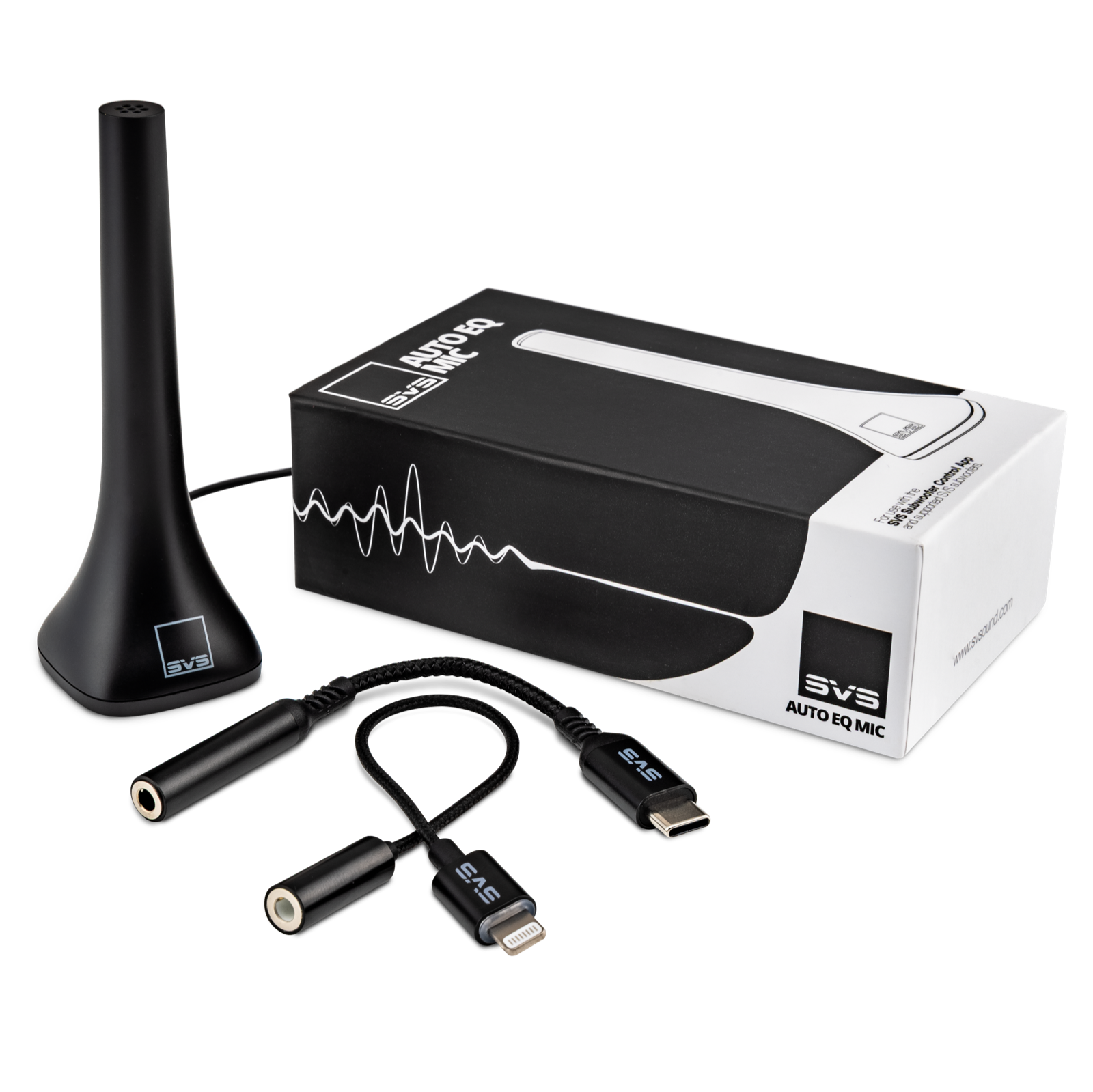
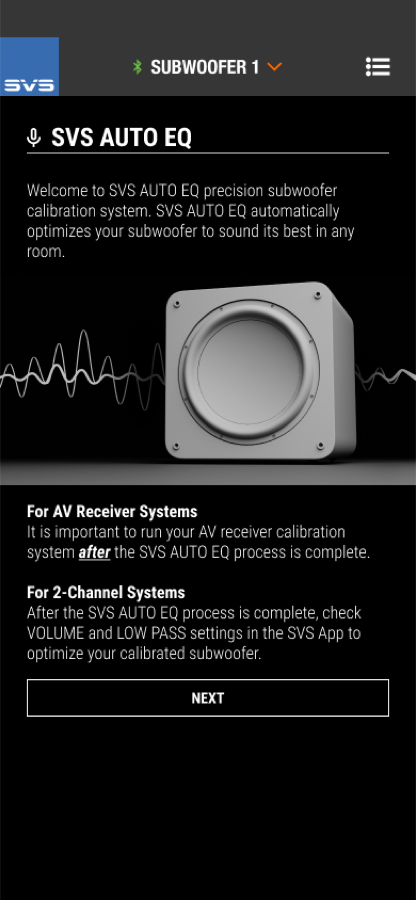
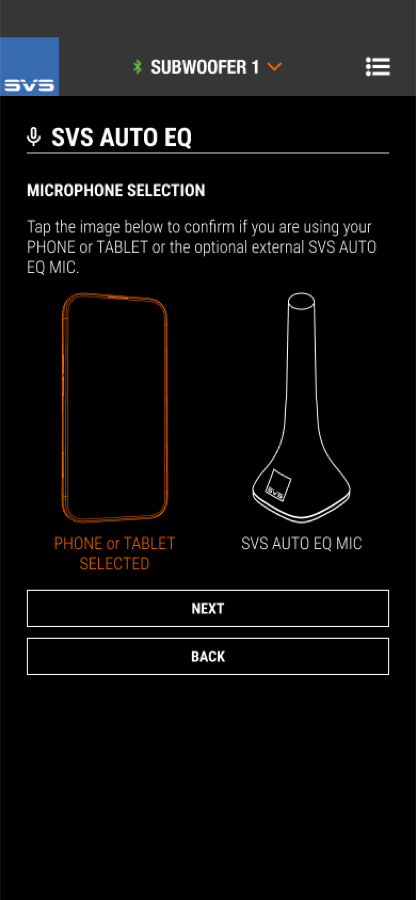
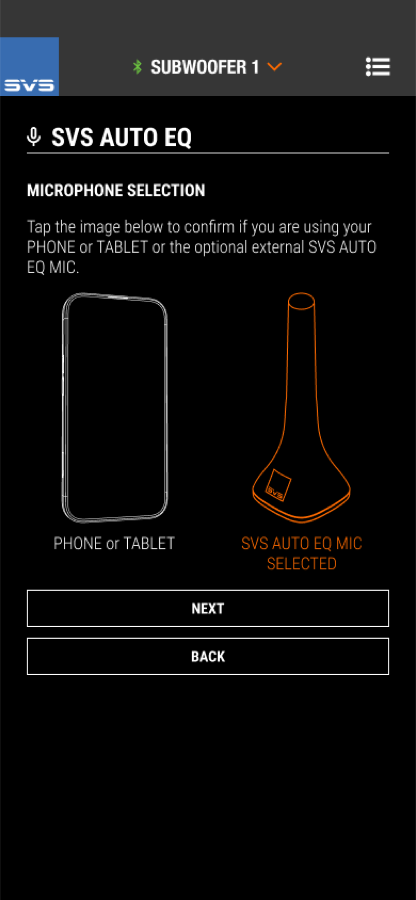
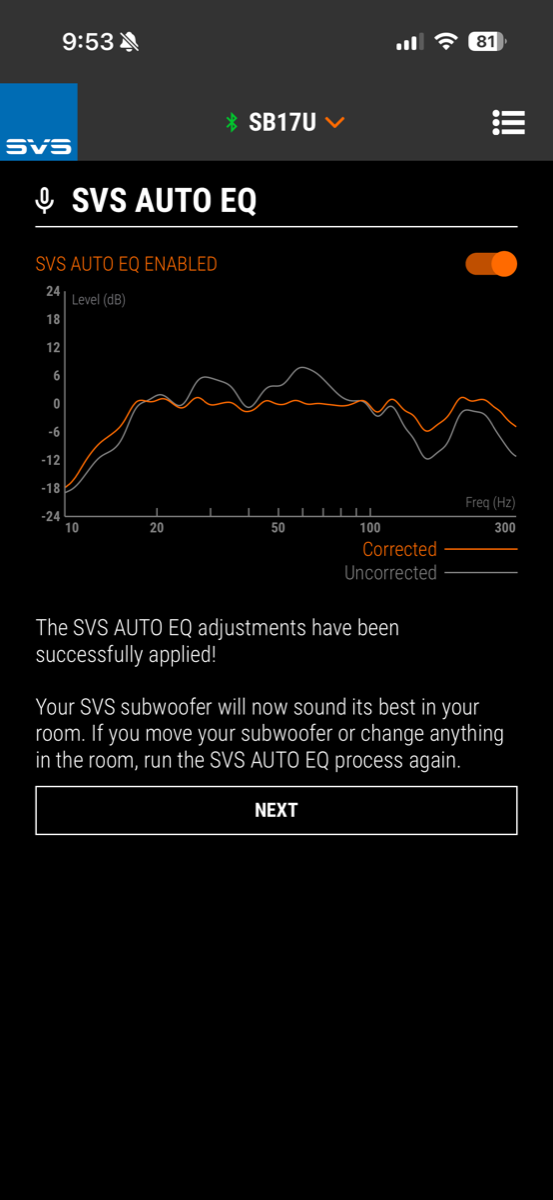
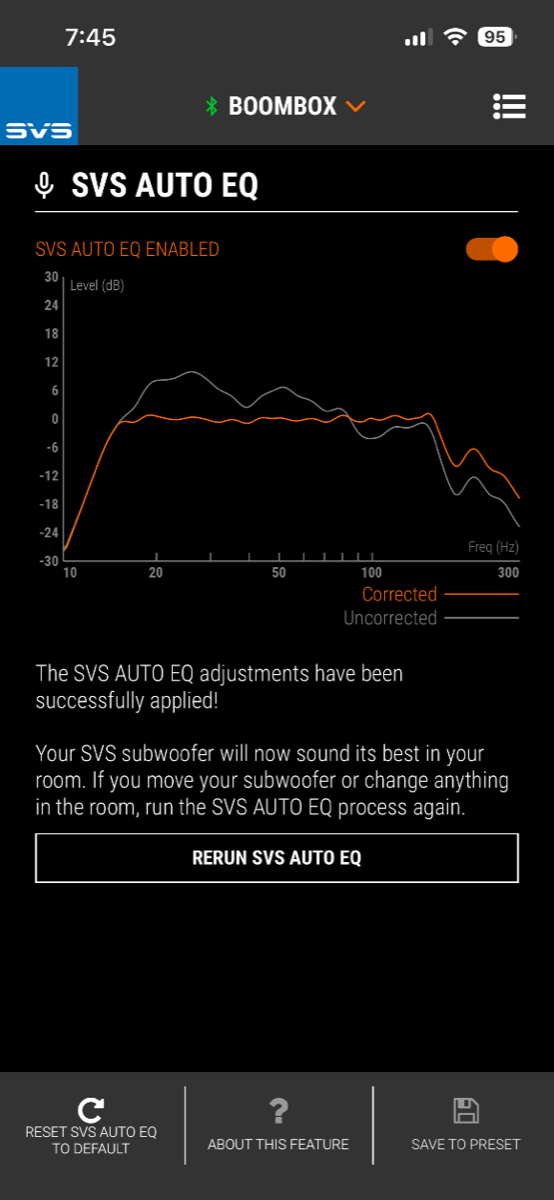
SVS Auto EQ measures in-room bass response through the SVS Subwoofer Control App, then applies correction inside the subwoofer. The process can use a phone or tablet microphone, or the optional SVS Auto EQ Mic, which sells for $45.
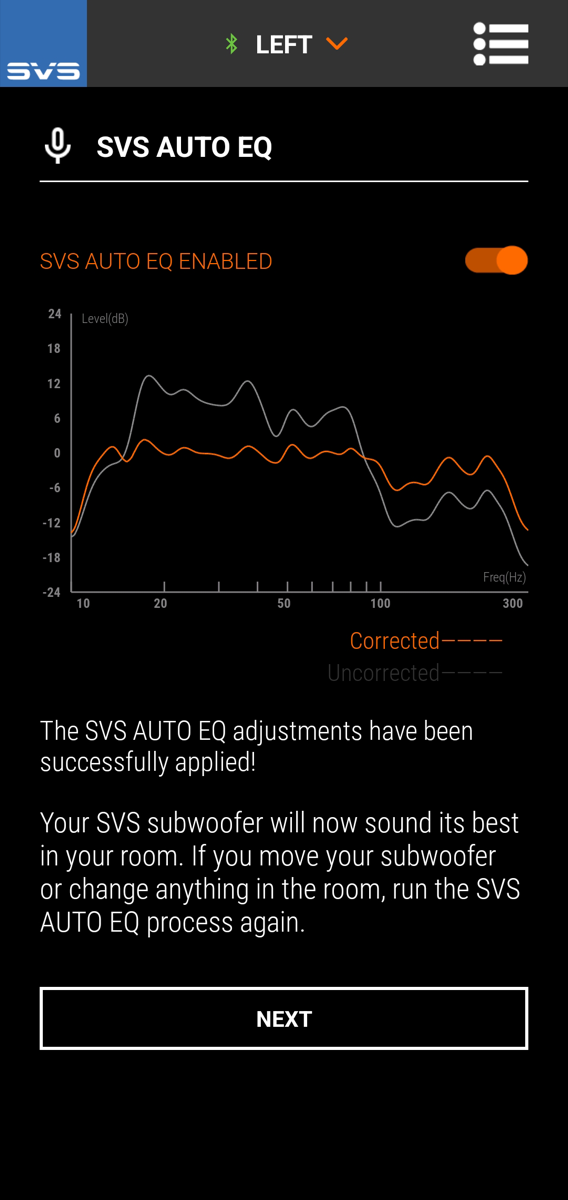
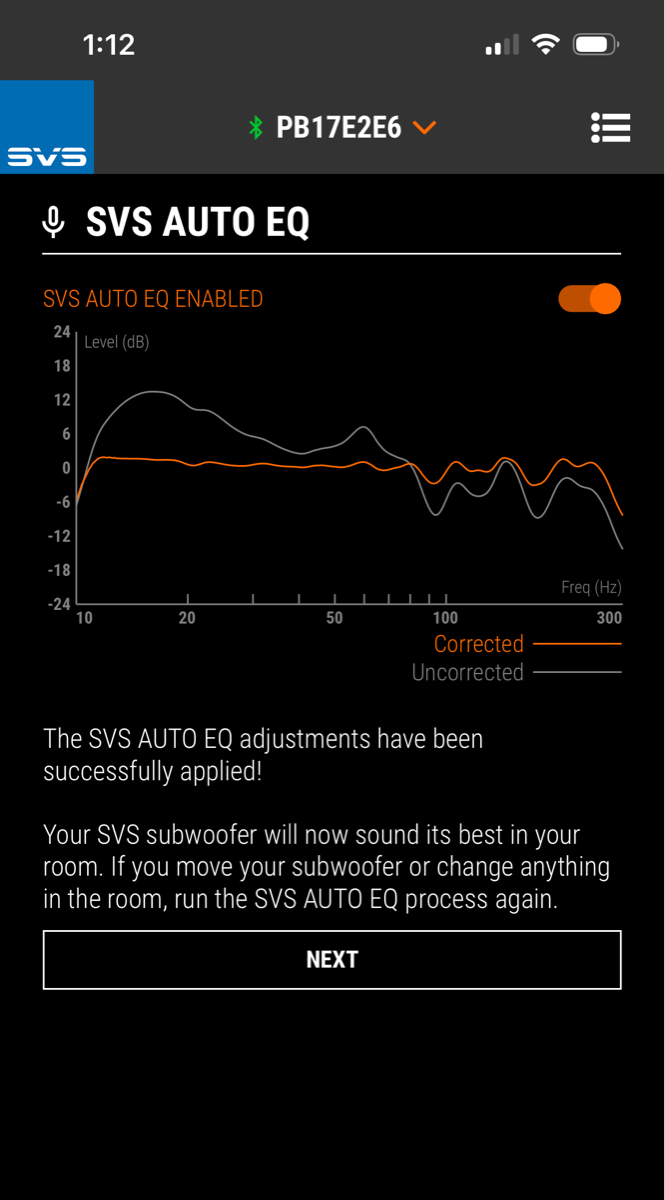
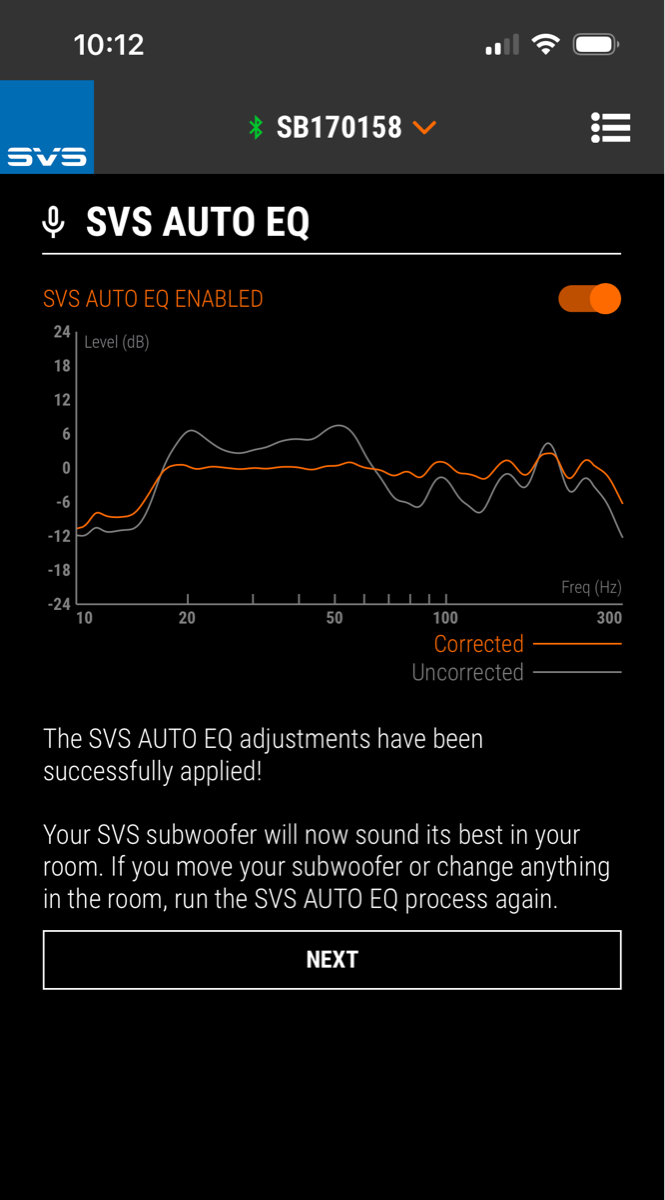
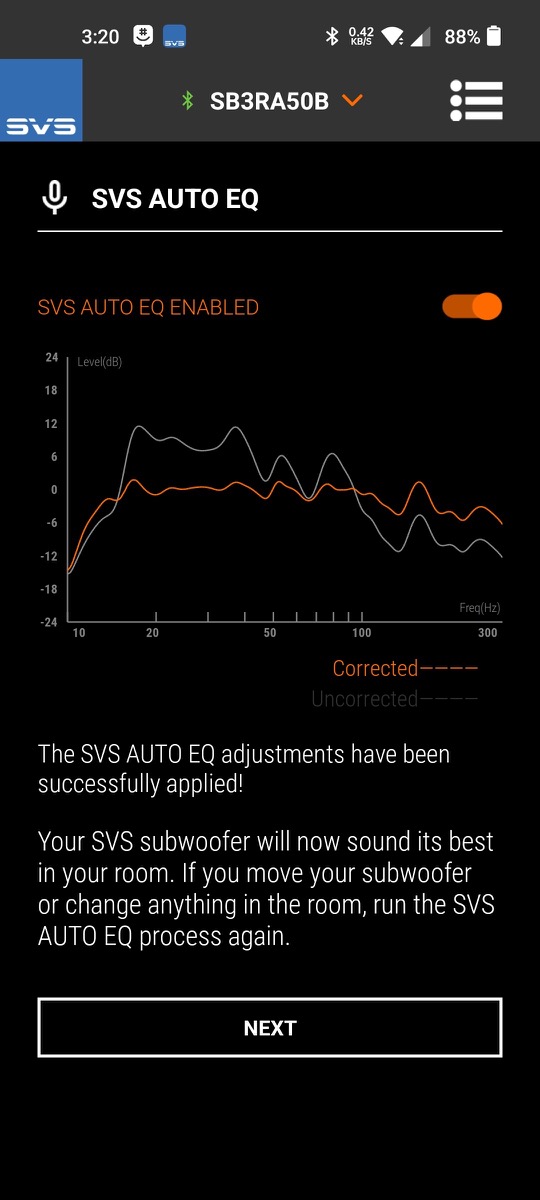
The promise is smoother, cleaner, more even bass without asking the owner to learn REW, buy a measurement rig, or guess at PEQ filters from a couch. The app shows before-and-after curves, and the correction is stored in the subwoofer. Move the sub, change the room, or alter port tuning, and the FAQ says you should run it again.
| Feature | What It Means |
| Price | Free app update for compatible R|Evolution subs |
| Compatible models | 3000 R|Evolution, 5000 R|Evolution, 17-Ultra R|Evolution now; 3000 Micro R|Evolution coming soon |
| Measurement mic | Phone/tablet mic or optional $45 SVS Auto EQ Mic |
| Listening positions | Multiple positions can be measured for broader-seat correction |
| Best workflow | Run SVS Auto EQ before AVR or processor room correction |
| Reality check | Placement still matters; room correction cannot erase every null |
The Importance of EQ
Subwoofer setup is one of those audio tasks that sounds easy until you do it. Put the box in a corner and you get output. Put it in the wrong corner and you also get peaks, dips, boom, localization, and bass that makes one track sound huge and the next sound hollow.
SVS has long given users tools to fight that. The better models have app control, adjustable low-pass and phase, room gain compensation, and parametric EQ. The catch is that tools only help if people know what to do with them. Auto EQ turns those knobs on behalf of the user, based on measurements.
That does not make it a replacement for a full-system solution like Dirac Live Bass Control, Audyssey MultEQ-X, ARC Genesis, or Trinnov. It is narrower than that. It is subwoofer-specific. But that narrowness is also the point. SVS is baking useful bass correction into the sub itself, not asking every owner to become a calibration hobbyist.
Phone Mic or External Mic?
The FAQ makes clear that Auto EQ can run with a phone or tablet microphone. That is the low-friction path, and it matters because most people will not buy extra measurement hardware just to clean up a bass hump.
Still, the optional SVS Auto EQ Mic is the more serious path. A known mic is a known mic. If you are spending real money on a 17-Ultra R|Evolution or a multi-sub system, $45 for the dedicated mic feels less like an upsell and more like a sensible accessory.
The FAQ Keeps It Honest
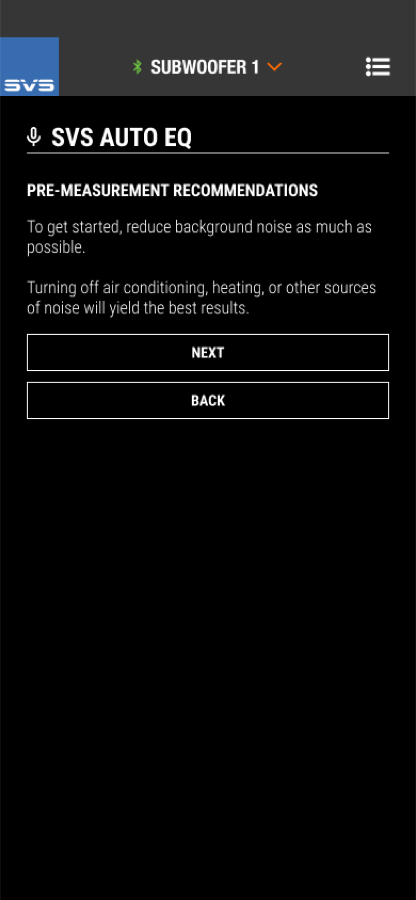
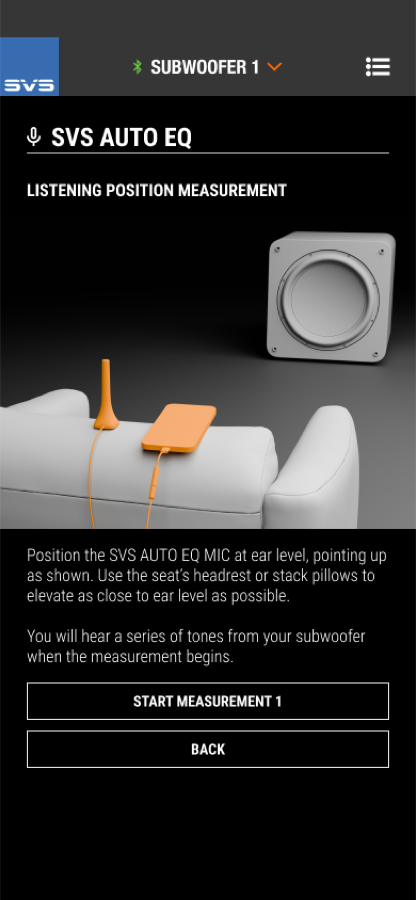
The most useful part of SVS’s FAQ is that it does not pretend Auto EQ is magic. It tells users to measure at ear height, keep the room quiet, and run the subwoofer correction before any AV receiver or processor calibration. You want the sub behaving better before the system-wide correction starts making decisions.
It also notes that Auto EQ is for compatible R|Evolution subs, not older SVS models or random third-party subs. It may smooth peaks and improve tonal balance, but a deep cancellation caused by the room is still a physics problem. Sometimes the real fix is moving the subwoofer, moving the seat, or adding another sub.
Room correction is a tool. It is not a substitute for placement, but it can save a lot of owners from the worst version of their room.
Where It Fits in the Market
This is where SVS is quietly applying pressure. Plenty of subwoofer brands sell output. Plenty sell finish quality. Some sell measurement-friendly features. But a free, guided correction system delivered to shipped products is a strong ownership-experience play.
For home theater users, the obvious benefit is taming the “one-note bass” problem and making impact feel more controlled across more than one seat. For 2-channel systems, it is about making a subwoofer easier to integrate without turning the listening room into a science project. For budget-conscious enthusiasts, the key word is free. Not free hardware, of course. But free capability added to compatible subs that people already bought.
Bottom Line
If you own a compatible SVS R|Evolution subwoofer, Auto EQ is an obvious download-and-try feature. It costs nothing, it is guided, and it addresses the exact problem that keeps many good subs from sounding as good as they should.
If you are shopping for a sub, Auto EQ makes the current R|Evolution models more interesting. Not because room correction replaces good engineering, but because it helps good engineering survive contact with a real room.
And if you care enough to own one of these subs, spend the $45 on the mic. Bass deserves better than guesswork.